npm:mcp-server-agent-analytics
Is the npm:mcp-server-agent-analytics MCP server safe to use?
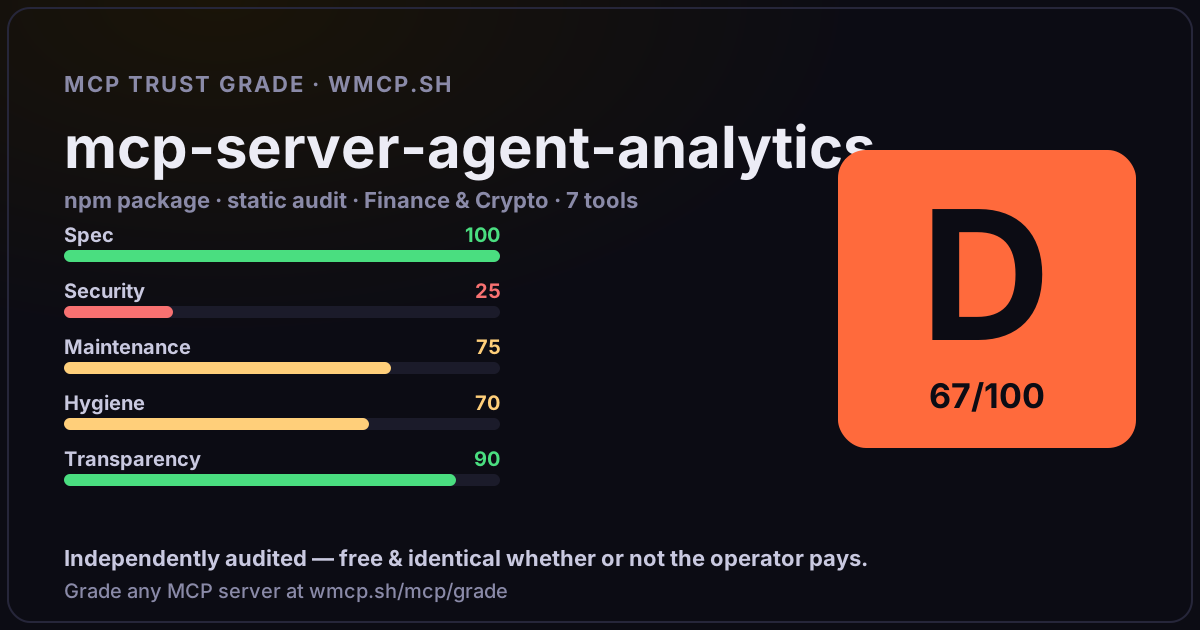
Independent trust grade D (67/100). References sensitive file paths / environment secrets. wmcp.sh continuously watches npm:mcp-server-agent-analytics for tool drift and rug-pulls. The grade is free and identical whether or not the operator pays.
What it offers — 7 tools · Finance & Crypto
analytics_dashboardGet a fleet-wide analytics dashboard for all AI agents. Returns total events, unique agents, success rate, token usage, cost estimates, per-agent brea
agent_insightsGet deep insights for a specific AI agent — top queries, unhandled intents, latency stats (avg + P95), token usage, cost estimate, daily volume, and u
list_agentsList all registered AI agents with their total events, success rate, and last seen timestamp.
detect_anomaliesCheck for anomalies across the agent fleet — error rate spikes, latency degradation, and unusual patterns compared to baseline.
query_eventsQuery stored agent events with optional filters. Returns raw event data for analysis.
track_eventIngest a new agent interaction event. Use this to track queries, completions, errors, and feedback for any AI agent.
compare_agentsCompare two agents side by side on key metrics: event volume, success rate, latency, token usage, and cost.
- ✓ depends on an MCP SDK
- ✓ declares a bin entry (runnable server)
- ✓ 7 tool(s) detected in source
- ⚠ references sensitive file paths / env secrets
- scanned 1 source file
- last published ~3mo ago
- 3 published versions
- no TypeScript types
- 2 runtime deps
- ✓ public repository linked
- ✓ MIT license
Findings
We re-grade npm:mcp-server-agent-analytics on a schedule and alert your Slack/webhook the moment its tools change or its grade drops — rug-pull insurance for the connection.
Share this report card
A 1200×630 card with the grade + audit — drop it in a post, Slack, or your repo.
Embed this grade
A live badge — it re-verifies itself and shows current stability. Static scorecards can't. Paste it in your README or site to show users you're independently audited.

[](https://wmcp.sh/mcp/grade/npm%3Amcp-server-agent-analytics)
<a href="https://wmcp.sh/mcp/grade/npm%3Amcp-server-agent-analytics"><img src="https://wmcp.sh/mcp/grade/npm%3Amcp-server-agent-analytics/badge.svg" alt="MCP Trust Grade D · wmcp.sh"></a>
Agents: check this before connecting
Add the wmcp.sh trust oracle as an MCP server and call grade_mcp_server / check_mcp_drift in your agent's pre-connection gate:
https://wmcp.sh/mcp/trust
readOnly vs observed behavior) layer on via the wmcp.sh proxy.