npm:@apireno/domshell
Is the npm:@apireno/domshell MCP server safe to use?
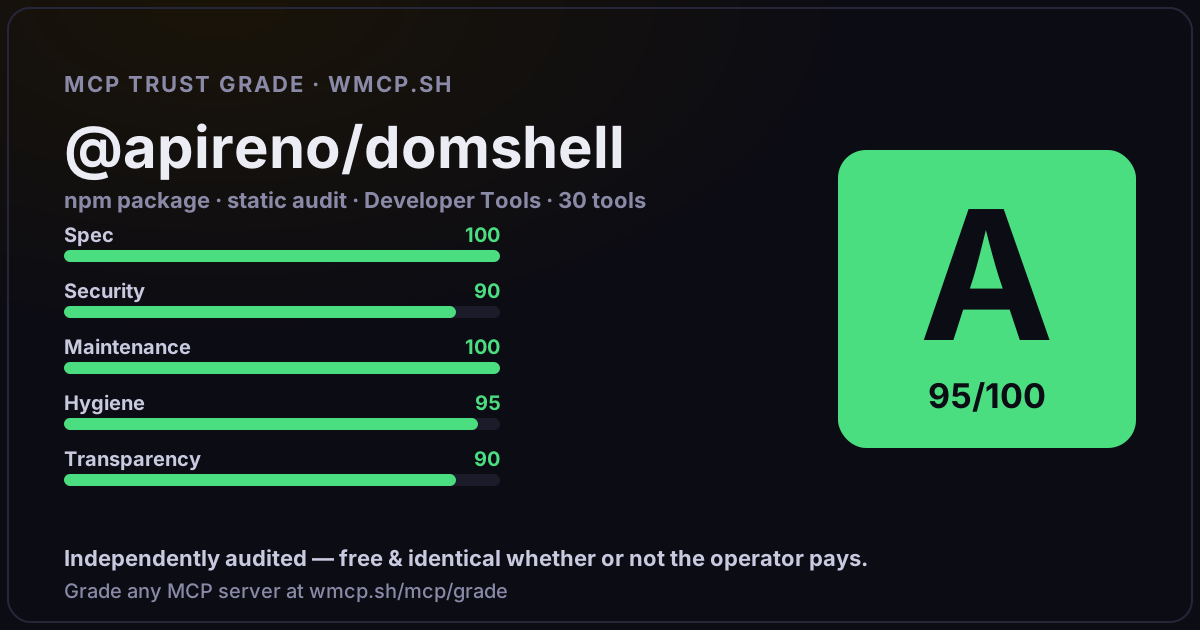
Independent trust grade C (75/100). References sensitive file paths / environment secrets. wmcp.sh continuously watches npm:@apireno/domshell for tool drift and rug-pulls. The grade is free and identical whether or not the operator pays.
What it offers — 26 tools · Database
domshell_tabsList all open browser tabs with their IDs, titles, URLs, and window info. Use this to find the right tab before switching. Equivalent to
domshell_hereJump to the active tab in the last focused Chrome window. Use this to quickly enter whichever tab the user is currently looking at, without needing to
domshell_lsList children of the current directory. In the DOM tree: shows elements as files and directories. At the browser level (~): shows tabs/windows.\n\nFla
domshell_cdChange directory — sets your scope for all subsequent commands (ls, find, grep, text all operate relative to current directory).\n\nPaths:
domshell_pwdPrint the current working directory path in the DOM tree.
domshell_catRead detailed metadata about a DOM element: role, type, AX ID, DOM backend ID, value, child count, text content (textContent), visible text (innerText
domshell_findDeep recursive search from the CURRENT DIRECTORY downward. Scope matters: cd into a section first, then find, to get only that section
domshell_grepSearch for elements matching a pattern. Matches against name, role, and value. Case-insensitive.\n\nBy default, searches only IMMEDIATE children. Use
domshell_treeShow a tree view of the current directory in the DOM, displaying the hierarchy of elements with type prefixes [d]=directory, [x]=interactive, [-]=stat
domshell_textExtract ALL text content from the current directory or a named child, including every descendant. Returns full textContent in a single call.\n\nThe na
domshell_readStructured subtree extraction — returns the hierarchy of elements under the current directory or a named child, with roles, names, and values in one c
domshell_refreshForce re-fetch the Accessibility Tree. Use after page navigation or significant DOM changes. Note: the tree also auto-refreshes when changes are detec
domshell_diffCompare the current AX tree against the snapshot taken before the last write/navigate action (click, type, submit, select, navigate, open, back, forwa
domshell_evalEvaluate a JavaScript expression in the tab context. Returns the result. WRITE TIER as of 2.0.8 — the expression runs via CDP Runtime.evaluate with no
domshell_functionsList callable global JavaScript functions on the current page. Shows function name, arity (parameter count), and parameter names. Useful for discoveri
domshell_watchRe-run a command periodically and collect results. Useful for monitoring dynamic content changes within a single tool call instead of making N separat
domshell_forIterate over command output lines. Runs a source command, splits output into lines, and for each line replaces {} in the action template and executes
domshell_scriptSave and run multi-command scripts. Scripts persist across service worker restarts.\n\nSubcommands:\n script list List saved scripts\n scri
+8 more tools
- ✓ depends on an MCP SDK
- ✓ declares a bin entry (runnable server)
- ✓ 26 tool(s) detected in source
- ⚠ references sensitive file paths / env secrets
- scanned 5 source files
- published within 90 days
- 14 published versions
- ✓ ships TypeScript types
- 4 runtime deps
- ✓ public repository linked
- ✓ MIT license
- 283 weekly downloads
Findings
We re-grade npm:@apireno/domshell on a schedule and alert your Slack/webhook the moment its tools change or its grade drops — rug-pull insurance for the connection.
Share this report card
A 1200×630 card with the grade + audit — drop it in a post, Slack, or your repo.
Embed this grade
A live badge — it re-verifies itself and shows current stability. Static scorecards can't. Paste it in your README or site to show users you're independently audited.

[](https://wmcp.sh/mcp/grade/npm%3A%40apireno%2Fdomshell)
<a href="https://wmcp.sh/mcp/grade/npm%3A%40apireno%2Fdomshell"><img src="https://wmcp.sh/mcp/grade/npm%3A%40apireno%2Fdomshell/badge.svg" alt="MCP Trust Grade C · wmcp.sh"></a>
Agents: check this before connecting
Add the wmcp.sh trust oracle as an MCP server and call grade_mcp_server / check_mcp_drift in your agent's pre-connection gate:
https://wmcp.sh/mcp/trust
readOnly vs observed behavior) layer on via the wmcp.sh proxy.