npm:zpl-engine-mcp
Is the npm:zpl-engine-mcp MCP server safe to use?
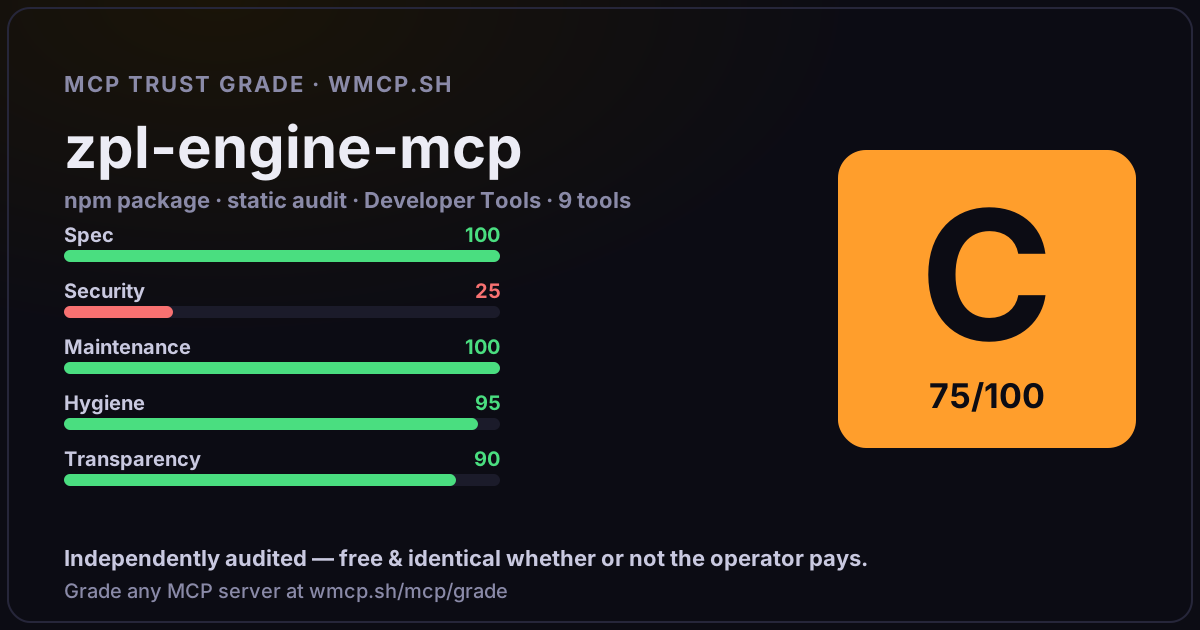
Independent trust grade C (75/100). References sensitive file paths / environment secrets. wmcp.sh continuously watches npm:zpl-engine-mcp for tool drift and rug-pulls. The grade is free and identical whether or not the operator pays.
What it offers — 9 tools · Developer Tools
zpl_computeRun a raw ZPL Engine computation. Takes dimension (d), bias (0-1), and optional samples. Returns AIN score, status, deviation, and token usage. Use th
zpl_sweepRun a ZPL Engine sweep: tests all 19 bias levels (0.0 to 1.0) for a given dimension. Shows how stability changes as bias increases. Useful for underst
zpl_analyzeSmart analysis using a domain lens. Automatically converts domain-specific data (prices, game stats, model outputs, etc.) into engine parameters and i
zpl_domainsList all available ZPL domain lenses with their descriptions, input schemas, and examples. Use this to discover what types of analysis are available.
zpl_healthCheck if the ZPL Engine is online and responding. Returns status and version. Does not require an API key.
zpl_plansShow all ZPL Engine subscription plans with pricing, token limits, and dimension limits. Requires a valid API key.
zpl_historyView history of past ZPL analyses. Shows recent questions, scores, and results. Useful for comparing over time or recalling past decisions.
zpl_watchlistManage a watchlist of items to monitor with ZPL. Add assets, portfolios, or any analysis to track AIN changes over time.
zpl_reportGenerate a comprehensive ZPL analysis report. Runs multiple computations across different bias levels and dimensions, producing a full stability profi
- ✓ depends on an MCP SDK
- ✓ declares a bin entry (runnable server)
- ✓ 9 tool(s) detected in source
- ⚠ references sensitive file paths / env secrets
- uses eval/exec/child_process (review for unsanitized input)
- scanned 6 source files
- published within 90 days
- 15 published versions
- ✓ ships TypeScript types
- 2 runtime deps
- ✓ public repository linked
- ✓ MIT license
Findings
We re-grade npm:zpl-engine-mcp on a schedule and alert your Slack/webhook the moment its tools change or its grade drops — rug-pull insurance for the connection.
Share this report card
A 1200×630 card with the grade + audit — drop it in a post, Slack, or your repo.
Embed this grade
A live badge — it re-verifies itself and shows current stability. Static scorecards can't. Paste it in your README or site to show users you're independently audited.

[](https://wmcp.sh/mcp/grade/npm%3Azpl-engine-mcp)
<a href="https://wmcp.sh/mcp/grade/npm%3Azpl-engine-mcp"><img src="https://wmcp.sh/mcp/grade/npm%3Azpl-engine-mcp/badge.svg" alt="MCP Trust Grade C · wmcp.sh"></a>
Agents: check this before connecting
Add the wmcp.sh trust oracle as an MCP server and call grade_mcp_server / check_mcp_drift in your agent's pre-connection gate:
https://wmcp.sh/mcp/trust
readOnly vs observed behavior) layer on via the wmcp.sh proxy.