npm:uimax-mcp
Is the npm:uimax-mcp MCP server safe to use?
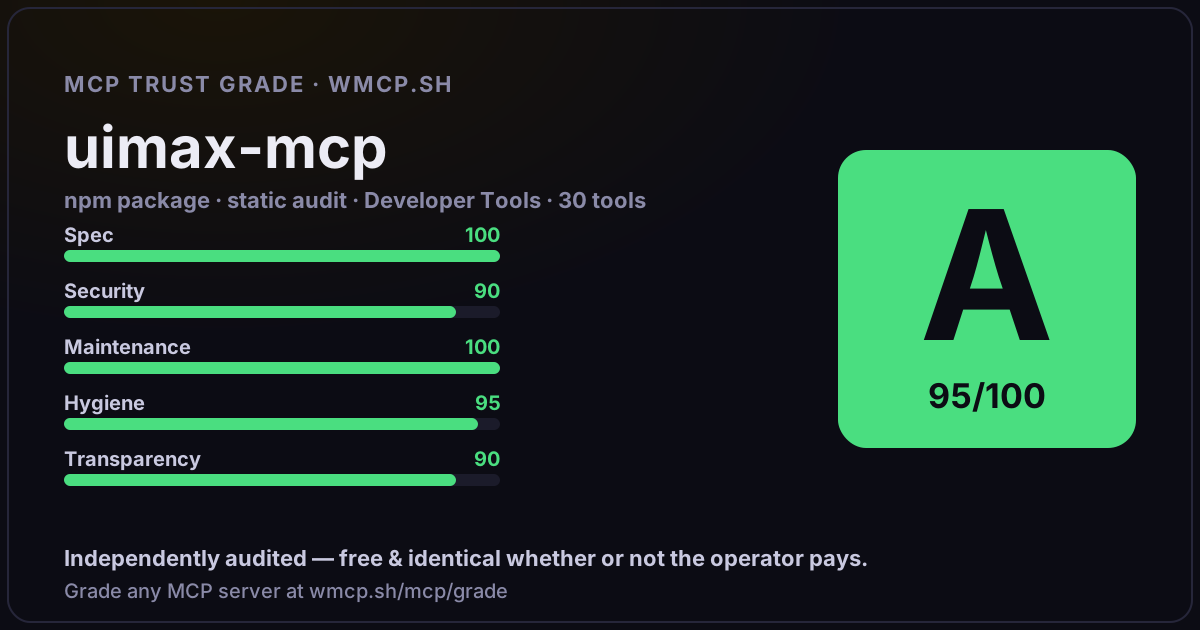
Independent trust grade A- (91/100). Static analysis of npm package uimax-mcp@0.8.0 (stdio server — no remote endpoint). Reliability/behavioral signals require running it; not measured. wmcp.sh continuously watches npm:uimax-mcp for tool drift and rug-pulls. The grade is free and identical whether or not the operator pays.
What it offers — 30 tools · Developer Tools
review_uiTHE PRIMARY TOOL — Fully automated UI review pipeline. Captures a screenshot, runs accessibility/performance/code audits, then returns ALL data along
export_reportGenerate a standalone HTML report file with all audit findings embedded. Runs the full review pipeline (screenshot, accessibility, performance, code a
quick_reviewQuick design-only review. Captures a screenshot and returns it with a focused design review methodology. No code analysis, no performance audit — just
screenshotCapture a screenshot of a webpage. Returns a PNG image that you can visually analyze for design issues, layout problems, and UI quality.
responsive_screenshotsCapture screenshots at mobile (375px), tablet (768px), and desktop (1440px) viewports. Perfect for reviewing responsive design.
check_dark_modeDetect whether a webpage supports dark mode. Captures two screenshots — one in light mode and one with prefers-color-scheme: dark emulated — then comp
compare_screenshotsBefore/after visual comparison with pixel-level diffing. Captures screenshots of two URLs at the same viewport size, computes an accurate pixel-level
semantic_compareAI-powered visual comparison. Captures before/after screenshots and provides a structured methodology for Claude to semantically evaluate whether UI c
accessibility_auditRun an automated accessibility audit using axe-core. Checks for WCAG 2.1 Level A and AA violations, reporting issues by severity with specific fix ins
performance_auditMeasure Core Web Vitals and performance metrics: FCP, LCP, CLS, TBT, load time, resource count, DOM size, and JS heap usage.
lighthouse_auditRun a full Lighthouse audit against a URL. Returns scores for Performance, Accessibility, Best Practices, and SEO (0-100), plus detailed audit finding
seo_auditRun a comprehensive SEO audit. Checks 18 SEO signals including meta tags, heading hierarchy, Open Graph tags, Twitter cards, structured data (JSON-LD)
pwa_auditCheck Progressive Web App readiness: installable manifest, service worker, HTTPS, offline capability, and more. Runs a full Lighthouse audit under the
security_auditCheck security posture via Lighthouse: HTTPS usage, mixed content, CSP headers, vulnerable JavaScript libraries, external links without noopener, and
unused_codeFind unused JavaScript and CSS on a page. Runs Lighthouse and extracts the unused-javascript and unused-css-rules audits, showing each resource with t
lcp_optimizationDeep Largest Contentful Paint (LCP) analysis. Identifies the LCP element, measures TTFB, resource load time, and render delay. Provides specific optim
resource_analysisFull resource breakdown of a page: total transfer size, breakdown by type (JS, CSS, images, fonts), number of requests, top 10 largest resources, and
analyze_codeAnalyze frontend source code for quality issues: accessibility anti-patterns, CSS problems, component complexity, design inconsistencies, and performa
+12 more tools
- ✓ depends on an MCP SDK
- ✓ declares a bin entry (runnable server)
- ✓ 30 tool(s) detected in source
- no high-risk patterns in sampled source
- scanned 6 source files
- last published ~4mo ago
- 8 published versions
- ✓ ships TypeScript types
- 9 runtime deps
- ✓ public repository linked
- ✓ MIT license
- 59 weekly downloads
Findings
We re-grade npm:uimax-mcp on a schedule and alert your Slack/webhook the moment its tools change or its grade drops — rug-pull insurance for the connection.
Share this report card
A 1200×630 card with the grade + audit — drop it in a post, Slack, or your repo.
Embed this grade
A live badge — it re-verifies itself and shows current stability. Static scorecards can't. Paste it in your README or site to show users you're independently audited.

[](https://wmcp.sh/mcp/grade/npm%3Auimax-mcp)
<a href="https://wmcp.sh/mcp/grade/npm%3Auimax-mcp"><img src="https://wmcp.sh/mcp/grade/npm%3Auimax-mcp/badge.svg" alt="MCP Trust Grade A- · wmcp.sh"></a>
Agents: check this before connecting
Add the wmcp.sh trust oracle as an MCP server and call grade_mcp_server / check_mcp_drift in your agent's pre-connection gate:
https://wmcp.sh/mcp/trust
readOnly vs observed behavior) layer on via the wmcp.sh proxy.