npm:probo-connect-mcp
Is the npm:probo-connect-mcp MCP server safe to use?
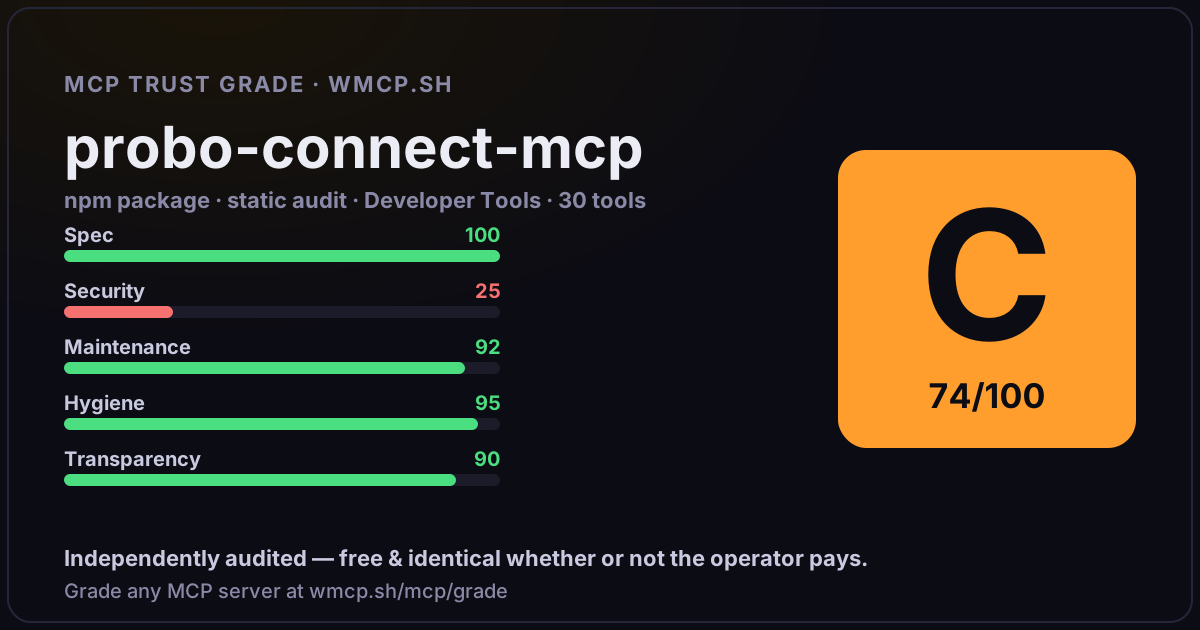
Independent trust grade C (74/100). References sensitive file paths / environment secrets. wmcp.sh continuously watches npm:probo-connect-mcp for tool drift and rug-pulls. The grade is free and identical whether or not the operator pays.
What it offers — 30 tools · Developer Tools
saveUserProfileSave user profile information for personalized responses. Persists across sessions in ~/.probo-connect/. Call this after learning about the user.
getUserProfileGet the current user profile. Use this to personalize responses — check preferred language, company, and product focus.
getImagePreviewFetch an image URL (e.g. order preview from getAllOrders
getRecommendationsGet personalized product recommendations based on the user profile focus (e.g. banners, textiles). Falls back to top products if no profile set.
saveOrderTemplateSave a complete order configuration as a reusable template. Persists in ~/.probo-connect/. Use placeOrderFromTemplate to re-order.
getOrderTemplatesList all saved order templates.
deleteOrderTemplateDelete a saved order template.
placeOrderFromTemplatePlace an order from a saved template. You can override reference, address, or options.
saveAddressSave a delivery address for reuse. Persists across sessions in ~/.probo-connect/. Give it a name like
getSavedAddressesList all saved delivery addresses. Addresses persist across sessions in ~/.probo-connect/.
searchProductsSearch the Probo product catalog. Returns product names, codes, categories, and pricing. Use without query to browse all products.
configureProductConfigure a product with options and get pricing. Call first without options to see available options, then call again with selected options. NOTE: Th
placeOrderPlace a print order with Probo. Returns order ID and confirmation. IMPORTANT — Product field naming: - Use
getOrderStatusCheck the status of one or more orders. Returns status code, delivery date, tracking info, and package details. IMPORTANT: - Use the EXACT order ID re
getAllOrdersList all orders with optional filters. Returns order history with references, dates, prices, delivery addresses, and status. ID fields in the response
cancelOrderCancel a pending order. Only works if the order has NOT yet entered production. IMPORTANT: - Use the order ID from placeOrder (e.g.
getPriceCalculate the price for one or more products before placing an order. Returns purchase price, sales price, shipping costs, and delivery dates.
getShippingMethodsList available shipping methods and carriers. Shows codes, carrier names, and whether email/phone is required.
+12 more tools
- ✓ depends on an MCP SDK
- ✓ declares a bin entry (runnable server)
- ✓ 30 tool(s) detected in source
- ⚠ references sensitive file paths / env secrets
- scanned 6 source files
- published within 90 days
- 1 published version
- ✓ ships TypeScript types
- 2 runtime deps
- ✓ public repository linked
- ✓ MIT license
- 5 weekly downloads
Findings
We re-grade npm:probo-connect-mcp on a schedule and alert your Slack/webhook the moment its tools change or its grade drops — rug-pull insurance for the connection.
Share this report card
A 1200×630 card with the grade + audit — drop it in a post, Slack, or your repo.
Embed this grade
A live badge — it re-verifies itself and shows current stability. Static scorecards can't. Paste it in your README or site to show users you're independently audited.

[](https://wmcp.sh/mcp/grade/npm%3Aprobo-connect-mcp)
<a href="https://wmcp.sh/mcp/grade/npm%3Aprobo-connect-mcp"><img src="https://wmcp.sh/mcp/grade/npm%3Aprobo-connect-mcp/badge.svg" alt="MCP Trust Grade C · wmcp.sh"></a>
Agents: check this before connecting
Add the wmcp.sh trust oracle as an MCP server and call grade_mcp_server / check_mcp_drift in your agent's pre-connection gate:
https://wmcp.sh/mcp/trust
readOnly vs observed behavior) layer on via the wmcp.sh proxy.