npm:icon-composer-mcp
Is the npm:icon-composer-mcp MCP server safe to use?
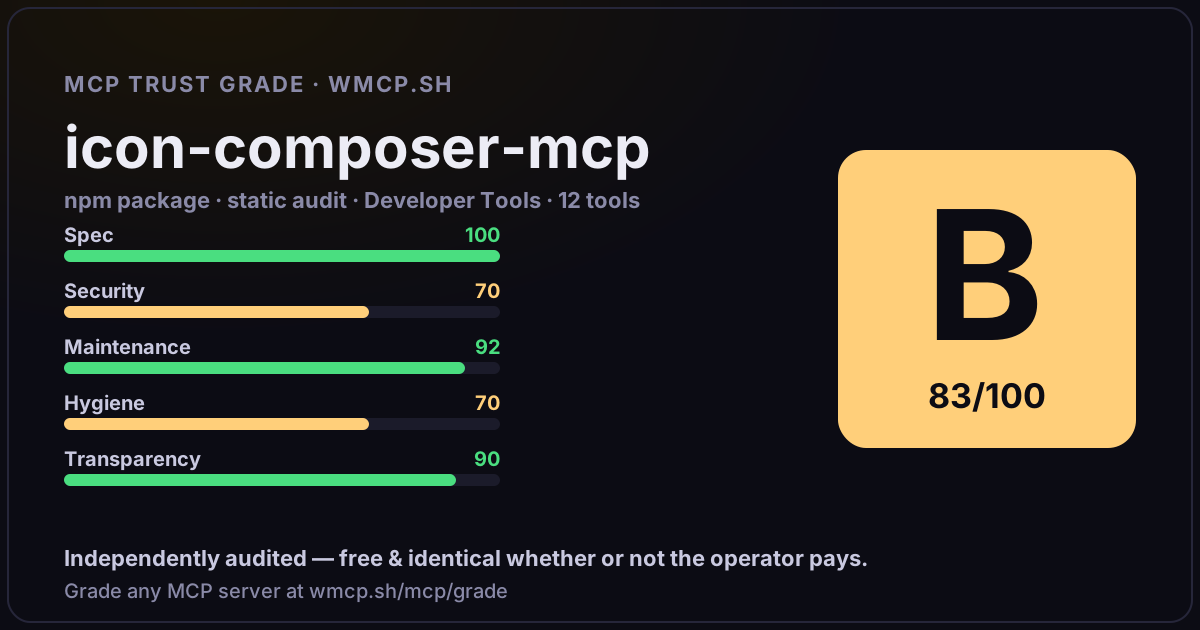
Independent trust grade B (83/100). Static analysis of npm package icon-composer-mcp@1.1.0 (stdio server — no remote endpoint). Reliability/behavioral signals require running it; not measured. wmcp.sh continuously watches npm:icon-composer-mcp for tool drift and rug-pulls. The grade is free and identical whether or not the operator pays.
What it offers — 12 tools · Developer Tools
create_iconCreate an Apple Icon Composer .icon bundle from a foreground image and background color. Outputs a ready-to-use .icon bundle for Xcode 26.
add_layer_to_iconAdd a new layer to an existing .icon bundle. Creates a new group or adds to an existing one.
remove_layerRemove a layer or entire group from an .icon bundle. Optionally cleans up orphaned asset files.
set_glass_effectsConfigure Liquid Glass effects (specular, blur, shadow, translucency) on a layer group in an existing .icon bundle.
set_appearancesSet dark mode or tinted mode appearance overrides for the icon background fill, layer group, or individual layer properties.
export_previewRender a preview of an .icon bundle. Uses Apple
read_iconRead and inspect an existing .icon bundle. Returns the manifest JSON and list of assets.
set_fillSet the background fill of an .icon bundle. Supports solid colors and gradients.
set_layer_positionSet the scale (zoom) and offset of a layer or group within the .icon bundle. Use to zoom the glyph in/out or reposition it.
toggle_fxEnable or disable all Liquid Glass effects (specular, shadow, blur, translucency) on every group in the .icon bundle at once.
render_liquid_glassRender a pixel-perfect Liquid Glass preview using Apple
export_marketingExport a flat marketing PNG for App Store Connect. No Liquid Glass effects, no alpha channel. Produces a 1024x1024 (default) opaque PNG ready for uplo
- ✓ depends on an MCP SDK
- ✓ declares a bin entry (runnable server)
- ✓ 12 tool(s) detected in source
- uses eval/exec/child_process (review for unsanitized input)
- scanned 5 source files
- published within 90 days
- 3 published versions
- no TypeScript types
- 5 runtime deps
- ✓ public repository linked
- ✓ MIT license
- 50 weekly downloads
Findings
We re-grade npm:icon-composer-mcp on a schedule and alert your Slack/webhook the moment its tools change or its grade drops — rug-pull insurance for the connection.
Share this report card
A 1200×630 card with the grade + audit — drop it in a post, Slack, or your repo.
Embed this grade
A live badge — it re-verifies itself and shows current stability. Static scorecards can't. Paste it in your README or site to show users you're independently audited.

[](https://wmcp.sh/mcp/grade/npm%3Aicon-composer-mcp)
<a href="https://wmcp.sh/mcp/grade/npm%3Aicon-composer-mcp"><img src="https://wmcp.sh/mcp/grade/npm%3Aicon-composer-mcp/badge.svg" alt="MCP Trust Grade B · wmcp.sh"></a>
Agents: check this before connecting
Add the wmcp.sh trust oracle as an MCP server and call grade_mcp_server / check_mcp_drift in your agent's pre-connection gate:
https://wmcp.sh/mcp/trust
readOnly vs observed behavior) layer on via the wmcp.sh proxy.