npm:gretl-mcp
Is the npm:gretl-mcp MCP server safe to use?
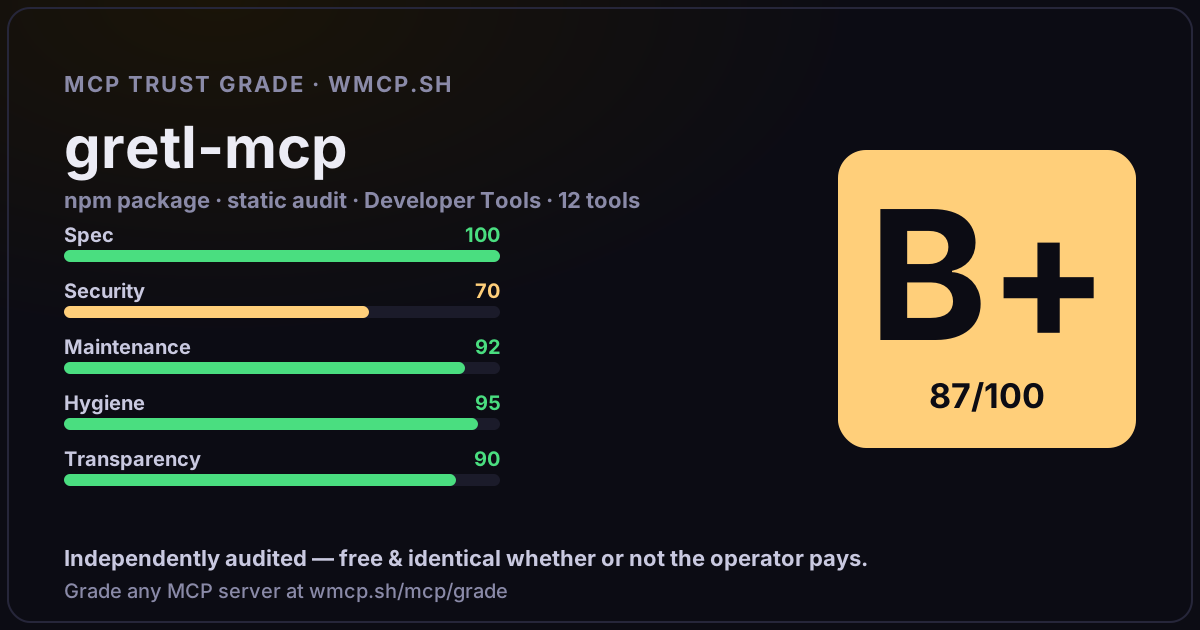
Independent trust grade B+ (87/100). Static analysis of npm package gretl-mcp@0.2.1 (stdio server — no remote endpoint). Reliability/behavioral signals require running it; not measured. wmcp.sh continuously watches npm:gretl-mcp for tool drift and rug-pulls. The grade is free and identical whether or not the operator pays.
What it offers — 12 tools · Developer Tools
gretl_versionReturn the installed Gretl version by running gretlcli.
gretl_gui_versionReturn the installed Gretl GUI version by running gretl.exe --version.
gretl_gui_launchLaunch the visible Gretl desktop GUI, optionally opening a local dataset/script or running a provided script on startup.
gretl_run_scriptRun any Gretl/Hansl script through gretlcli. By default this also requires opening the same workflow in the visible Gretl GUI.
gretl_run_commandsRun one or more raw Gretl command lines. By default this also requires opening the same workflow in the visible Gretl GUI.
gretl_run_script_fileRun an existing local Gretl .inp script file with gretlcli. By default this also requires opening the same workflow in the visible Gretl GUI.
gretl_capabilitiesList Gretl commands, built-in functions, and package-management help from the installed Gretl version.
gretl_packageInstall, query, run samples for, unload, remove, or index Gretl function/data packages using the native pkg command. By default this also requires ope
gretl_make_packageBuild a Gretl function package (.gfn or .zip) using the native makepkg command. By default this also requires opening the generated workflow in the vi
gretl_helpAsk Gretl for command help, for example ols, summary, open, arima, or gnuplot. By default this also requires opening the help workflow in the visible
gretl_dataset_summaryOpen a Gretl-supported dataset file, return summary statistics, and open the same workflow in Gretl GUI by default.
gretl_olsOpen a dataset, estimate an OLS model, and open the same workflow in Gretl GUI by default.
- ✓ depends on an MCP SDK
- ✓ declares a bin entry (runnable server)
- ✓ 12 tool(s) detected in source
- uses eval/exec/child_process (review for unsanitized input)
- scanned 4 source files
- published within 90 days
- 2 published versions
- ✓ ships TypeScript types
- 2 runtime deps
- ✓ public repository linked
- ✓ MIT license
- 13 weekly downloads
Findings
We re-grade npm:gretl-mcp on a schedule and alert your Slack/webhook the moment its tools change or its grade drops — rug-pull insurance for the connection.
Share this report card
A 1200×630 card with the grade + audit — drop it in a post, Slack, or your repo.
Embed this grade
A live badge — it re-verifies itself and shows current stability. Static scorecards can't. Paste it in your README or site to show users you're independently audited.

[](https://wmcp.sh/mcp/grade/npm%3Agretl-mcp)
<a href="https://wmcp.sh/mcp/grade/npm%3Agretl-mcp"><img src="https://wmcp.sh/mcp/grade/npm%3Agretl-mcp/badge.svg" alt="MCP Trust Grade B+ · wmcp.sh"></a>
Agents: check this before connecting
Add the wmcp.sh trust oracle as an MCP server and call grade_mcp_server / check_mcp_drift in your agent's pre-connection gate:
https://wmcp.sh/mcp/trust
readOnly vs observed behavior) layer on via the wmcp.sh proxy.