npm:browseai-dev
Is the npm:browseai-dev MCP server safe to use?
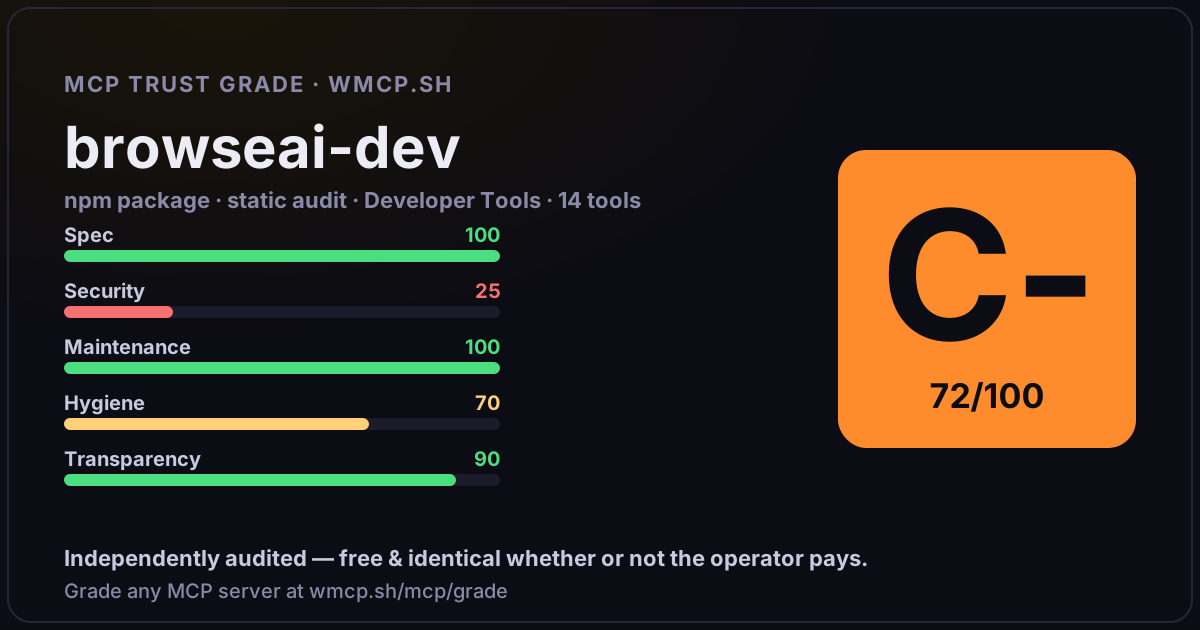
Independent trust grade C- (72/100). References sensitive file paths / environment secrets. wmcp.sh continuously watches npm:browseai-dev for tool drift and rug-pulls. The grade is free and identical whether or not the operator pays.
What it offers — 14 tools · Developer Tools
browse_searchSearch the web for information on a topic. Returns URLs, titles, snippets, and relevance scores.
browse_openFetch and parse a web page into clean text using Readability. Strips ads, nav, and boilerplate.
browse_extractExtract structured knowledge (claims + sources + confidence) from a single web page using AI.
browse_answerFull deep research pipeline: search the web, fetch pages, extract claims, build evidence graph, and generate a structured answer with citations and co
browse_compareCompare a raw LLM answer (no sources) vs an evidence-backed answer. Shows the difference between hallucination-prone and grounded responses.
browse_verify_documentFact-check an entire document (AI-generated report, competitive analysis, market research, news article). Extracts every atomic claim and verifies eac
browse_clarityClarity — anti-hallucination answer engine. Three modes: (1) mode=
browse_session_createCreate a new research session. Sessions persist knowledge across multiple queries — each query builds on prior research.
browse_session_askResearch a question within a session. Recalls prior knowledge, runs the research pipeline, and stores new claims. Later queries in the same session be
browse_session_recallQuery accumulated knowledge from a session without making new web searches. Returns previously verified claims relevant to the query.
browse_session_shareShare a research session publicly. Returns a shareable URL that anyone can view — great for sharing research findings with teammates, in reports, or o
browse_session_knowledgeExport all knowledge from a research session. Returns all verified claims, sources, and confidence scores accumulated across queries.
browse_session_forkFork a shared research session to continue building on someone else
browse_feedbackSubmit feedback on a search result to improve future accuracy. Helps the self-learning engine tune verification thresholds.
- ✓ depends on an MCP SDK
- ✓ declares a bin entry (runnable server)
- ✓ 14 tool(s) detected in source
- ⚠ references sensitive file paths / env secrets
- scanned 2 source files
- published within 90 days
- 11 published versions
- no TypeScript types
- 4 runtime deps
- ✓ public repository linked
- ✓ Apache-2.0 license
- 66 weekly downloads
Findings
We re-grade npm:browseai-dev on a schedule and alert your Slack/webhook the moment its tools change or its grade drops — rug-pull insurance for the connection.
Share this report card
A 1200×630 card with the grade + audit — drop it in a post, Slack, or your repo.
Embed this grade
A live badge — it re-verifies itself and shows current stability. Static scorecards can't. Paste it in your README or site to show users you're independently audited.

[](https://wmcp.sh/mcp/grade/npm%3Abrowseai-dev)
<a href="https://wmcp.sh/mcp/grade/npm%3Abrowseai-dev"><img src="https://wmcp.sh/mcp/grade/npm%3Abrowseai-dev/badge.svg" alt="MCP Trust Grade C- · wmcp.sh"></a>
Agents: check this before connecting
Add the wmcp.sh trust oracle as an MCP server and call grade_mcp_server / check_mcp_drift in your agent's pre-connection gate:
https://wmcp.sh/mcp/trust
readOnly vs observed behavior) layer on via the wmcp.sh proxy.