industry.indicate-data.io
What it offers — 5 tools · Commerce
list_tenantsStep 1 — List all tenants the authenticated user can access. (In the Indicate system a tenant is called a 'space'.) Returns each tenant's 'id' and 'di
list_data_sourcesStep 2 — List data sources available within a tenant. (In the Indicate system a data source is called a 'data product'.) Examples: Google Analytics, F
list_metricsStep 3 — List metrics and their dimensions for a data source. (In the Indicate system a metric is called a 'data cube'.) Each metric includes its dime
query_metricStep 4 — Fetch time-series data for a specific metric. All IDs are obtained from the previous steps in the workflow. Optionally filter by date range (
health_checkCheck connectivity to the Indicate backend. Returns 'ok' if the server can reach the API, or an error message otherwise. Does not require authenticati
- ✓ initialize → protocolVersion 2025-06-18
- ✓ initialize HTTP 200
- ✗ unknown method → -32602
- ✓ tools/list → 5 tools
- ✓ every tool has name + inputSchema
- 5 tools scanned
- no injection markup
- no secret-path refs
- single-probe latency 614ms (PRELIMINARY — continuous uptime/p95 from proxy telemetry lands in v2)
- 60% of tools have typed inputSchema
- 5/5 declare outputSchema
- no unannotated destructive tools
- HTTPS ✓
- advertises protocol 2025-06-18
Observed behavior
No proxied traffic observed for this host yet. Connect it at /connect and its grade gains a measured Reliability score + per-tool behavioral evidence — the half a static scan can't produce.
Findings
We re-grade industry.indicate-data.io on a schedule and alert your Slack/webhook the moment its tools change or its grade drops — rug-pull insurance for the connection.
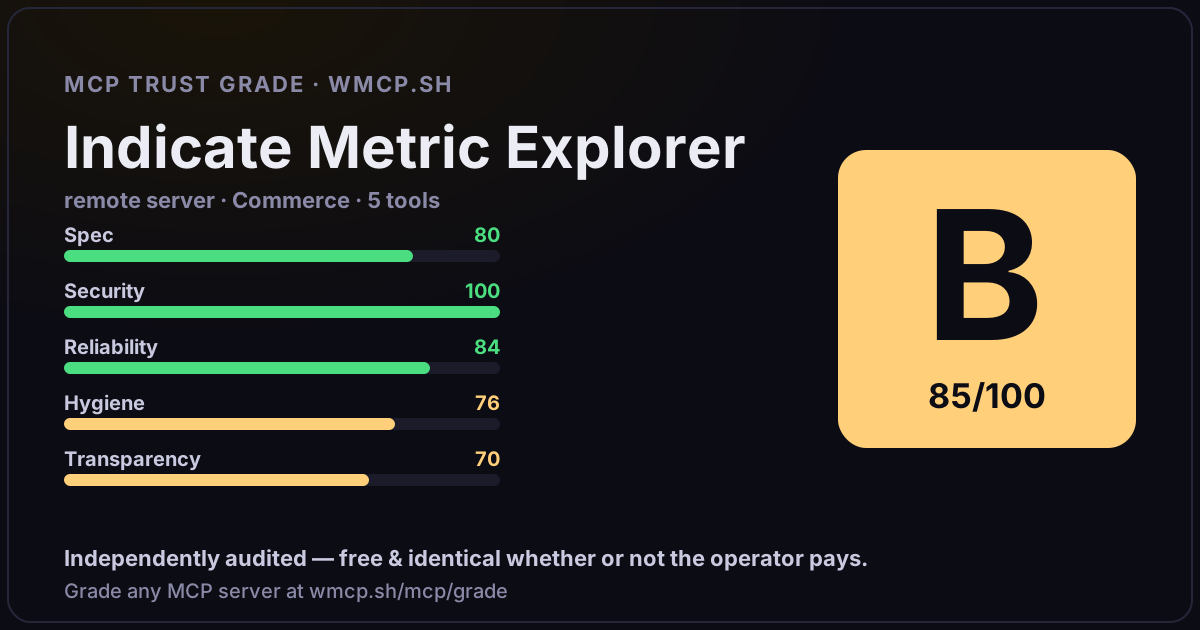
Share this report card
A 1200×630 card with the grade + audit — drop it in a post, Slack, or your repo.
Embed this grade
A live badge — it re-verifies itself and shows current stability. Static scorecards can't. Paste it in your README or site to show users you're independently audited.

[](https://wmcp.sh/mcp/grade/industry.indicate-data.io)
<a href="https://wmcp.sh/mcp/grade/industry.indicate-data.io"><img src="https://wmcp.sh/mcp/grade/industry.indicate-data.io/badge.svg" alt="MCP Trust Grade B · wmcp.sh"></a>
Agents: check this before connecting
Add the wmcp.sh trust oracle as an MCP server and call grade_mcp_server / check_mcp_drift in your agent's pre-connection gate:
https://wmcp.sh/mcp/trust
readOnly vs observed behavior) layer on via the wmcp.sh proxy.