app.luthersystems.com
What it offers — 24 tools · Developer Tools
awsinspectINSPECTION: Inspect AWS infrastructure for a deployed project ⚠️ **PREREQUISITE**: This tool requires a prior deployment ATTEMPT (successful or failed
awsinspect_batchBATCH INSPECTION: run up to 32 AWS inspect probes in one call. ⚠️ **PREREQUISITE**: Same as awsinspect — deploy attempt required. Check convostatus fo
convoawaitWait for a pending response from Riley after a convoreply timeout. 🎯 USE THIS TOOL WHEN: convoreply returned a timeout error. This allows you to cont
convoinspectINSPECTION: View a session's conversation transcript and metadata Returns the full message history (user / assistant / tool turns) plus the session's
convoopenWORKFLOW: Step 1 of 4 - Start infrastructure design conversation Open an InsideOut V2 session and receive the assistant's intro message. The response
convoreplyWORKFLOW: Step 2 of 4 - Continue infrastructure design conversation Send a user message to the active InsideOut session and receive the assistant repl
convostatusINSPECTION: View the current infrastructure stack for a session Returns the current state of the user's infrastructure design including: **Components*
credawaitWait for the user to securely connect their cloud account and subscribe to Luther Systems. Polls until credentials appear on the session. 🎯 USE THIS
gcpinspectINSPECTION: Inspect GCP infrastructure for a deployed project ⚠️ **PREREQUISITE**: This tool requires a prior deployment ATTEMPT (successful or failed
gcpinspect_batchBATCH INSPECTION: run up to 32 GCP inspect probes in one call. ⚠️ **PREREQUISITE**: Same as gcpinspect — deploy attempt required. Check convostatus fo
helpGet workflow guidance for using InsideOut infrastructure tools. Call help() for a compact overview, or help(section=...) for a detailed guide. Section
stackdiffStructured diff showing what would be deployed if the user ran tfdeploy now. Returns component-level changes (added/removed/modified), field-level det
stackrollbackCreate a draft version by reverting to a previous version's config. Copies components, config, and pricing from the target version. If a draft already
stackversionsList all stack versions for a session (newest first). Shows version history including version number, status (draft/confirmed/applied), change summari
submit_feedbackFEEDBACK: Submit feedback, bug reports, or feature requests to Luther Systems Use this tool to forward user feedback directly to the Luther Systems te
tfdeployWORKFLOW: Step 4 of 4 - Deploy infrastructure to the cloud Deploy infrastructure by starting a Terraform job for an InsideOut session. This tool initi
tfdestroyDESTROY: Tear down previously deployed infrastructure Destroys infrastructure by calling the Oracle destroy endpoint for a session that has a prior su
tfdriftDRIFT CHECK: Run a read-only drift detection check Checks whether deployed infrastructure has drifted from the expected Terraform state. This is a rea
+6 more tools
- ✓ initialize → protocolVersion 2025-06-18
- ✓ initialize HTTP 200
- ✗ unknown method → no JSON-RPC error
- ✓ tools/list → 24 tools
- ✓ every tool has name + inputSchema
- 24 tools scanned
- no injection markup
- no secret-path refs
- single-probe latency 1623ms (PRELIMINARY — continuous uptime/p95 from proxy telemetry lands in v2)
- 100% of tools have typed inputSchema
- 0/24 declare outputSchema
- no unannotated destructive tools
- HTTPS ✓
- advertises protocol 2025-06-18
Observed behavior
No proxied traffic observed for this host yet. Connect it at /connect and its grade gains a measured Reliability score + per-tool behavioral evidence — the half a static scan can't produce.
Findings
We re-grade app.luthersystems.com on a schedule and alert your Slack/webhook the moment its tools change or its grade drops — rug-pull insurance for the connection.
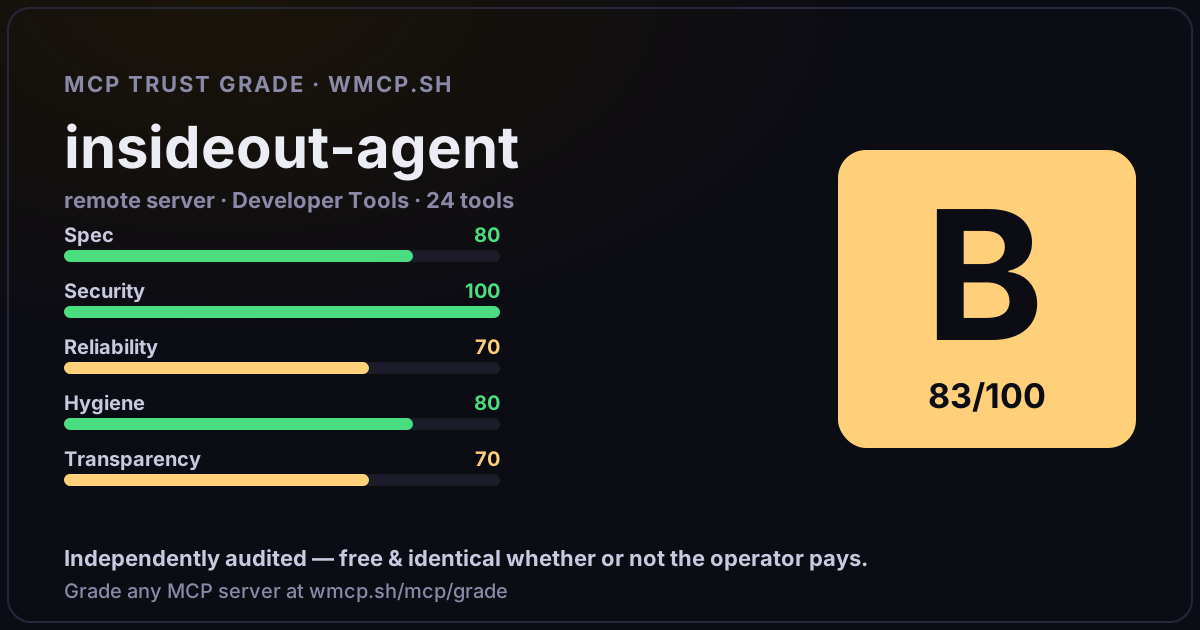
Share this report card
A 1200×630 card with the grade + audit — drop it in a post, Slack, or your repo.
Embed this grade
A live badge — it re-verifies itself and shows current stability. Static scorecards can't. Paste it in your README or site to show users you're independently audited.

[](https://wmcp.sh/mcp/grade/app.luthersystems.com)
<a href="https://wmcp.sh/mcp/grade/app.luthersystems.com"><img src="https://wmcp.sh/mcp/grade/app.luthersystems.com/badge.svg" alt="MCP Trust Grade B · wmcp.sh"></a>
Agents: check this before connecting
Add the wmcp.sh trust oracle as an MCP server and call grade_mcp_server / check_mcp_drift in your agent's pre-connection gate:
https://wmcp.sh/mcp/trust
readOnly vs observed behavior) layer on via the wmcp.sh proxy.