api.lad.lviv.ua
What it offers — 8 tools · Maps & Geo
get_stop_realtimeReturns live arrivals and vehicle positions for a stop, producing both a map UI block and a structured arrival list. Use this as the **default tool**
get_route_staticReturns static route metadata: short and long name, vehicle type, brand colour, ordered stop lists for both directions, and route polylines (shapes) f
get_route_realtimeReturns live positions for all vehicles currently running on a route, optimised for map rendering. Use when the user asks "where is my tram/bus right
get_stop_geometryReturns static map context for a stop: its marker and polylines for every route that serves it. No live data is fetched. Use this when you need to enr
get_stops_around_locationDiscovers transit stops near a geographic point, returning each stop's numeric code, name, coordinates, and walking distance. Also emits a map UI bloc
get_nearby_vehiclesReturns live positions for all transit vehicles within 1 km of given coordinates. Use when the user asks 'what transport is near me?' or wants a live
get_vehicle_infoReturns full details for a specific transit vehicle by its ID: current position, bearing, route, license plate, direction, and upcoming stop arrivals.
plan_tripPlans a transit trip from an origin stop to a destination stop using the static route graph. Returns direct options (single route) and 1-transfer opti
- ✓ initialize → protocolVersion 2025-06-18
- ✓ initialize HTTP 200
- ✓ unknown method → -32601
- ✓ tools/list → 8 tools
- ✓ every tool has name + inputSchema
- 8 tools scanned
- no injection markup
- no secret-path refs
- single-probe latency 880ms (PRELIMINARY — continuous uptime/p95 from proxy telemetry lands in v2)
- 100% of tools have typed inputSchema
- 8/8 declare outputSchema
- no unannotated destructive tools
- HTTPS ✓
- RFC 9728 oauth-protected-resource metadata ✓
- advertises protocol 2025-06-18
Observed behavior
No proxied traffic observed for this host yet. Connect it at /connect and its grade gains a measured Reliability score + per-tool behavioral evidence — the half a static scan can't produce.
Findings
We re-grade api.lad.lviv.ua on a schedule and alert your Slack/webhook the moment its tools change or its grade drops — rug-pull insurance for the connection.
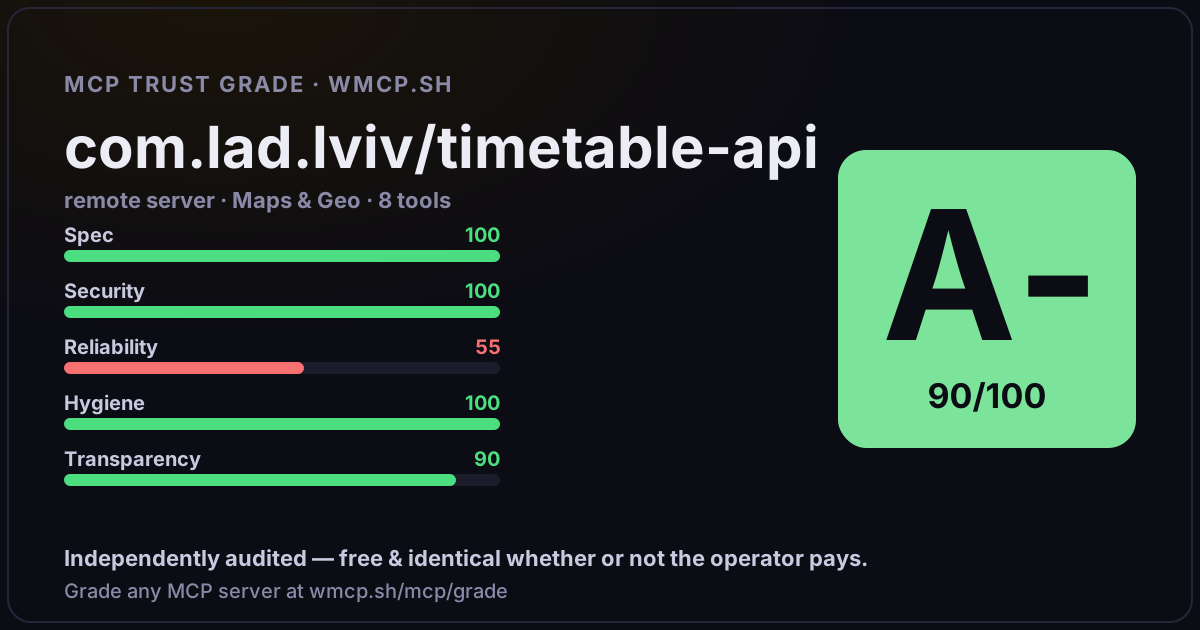
Share this report card
A 1200×630 card with the grade + audit — drop it in a post, Slack, or your repo.
Embed this grade
A live badge — it re-verifies itself and shows current stability. Static scorecards can't. Paste it in your README or site to show users you're independently audited.

[](https://wmcp.sh/mcp/grade/api.lad.lviv.ua)
<a href="https://wmcp.sh/mcp/grade/api.lad.lviv.ua"><img src="https://wmcp.sh/mcp/grade/api.lad.lviv.ua/badge.svg" alt="MCP Trust Grade A · wmcp.sh"></a>
Agents: check this before connecting
Add the wmcp.sh trust oracle as an MCP server and call grade_mcp_server / check_mcp_drift in your agent's pre-connection gate:
https://wmcp.sh/mcp/trust
readOnly vs observed behavior) layer on via the wmcp.sh proxy.